
Leave and attendance
Leave and attendance that payroll can actually use
Balances that reflect what has been approved, attendance that knows your work week, and overtime that knows the State cap - because all three end up in a payslip.
- Working days come from the branch's own work week, not a national default
- Overtime at twice the ordinary rate, with the quarterly State cap tracked
- Year end computes lapse, carry-forward and encashment for everybody at once
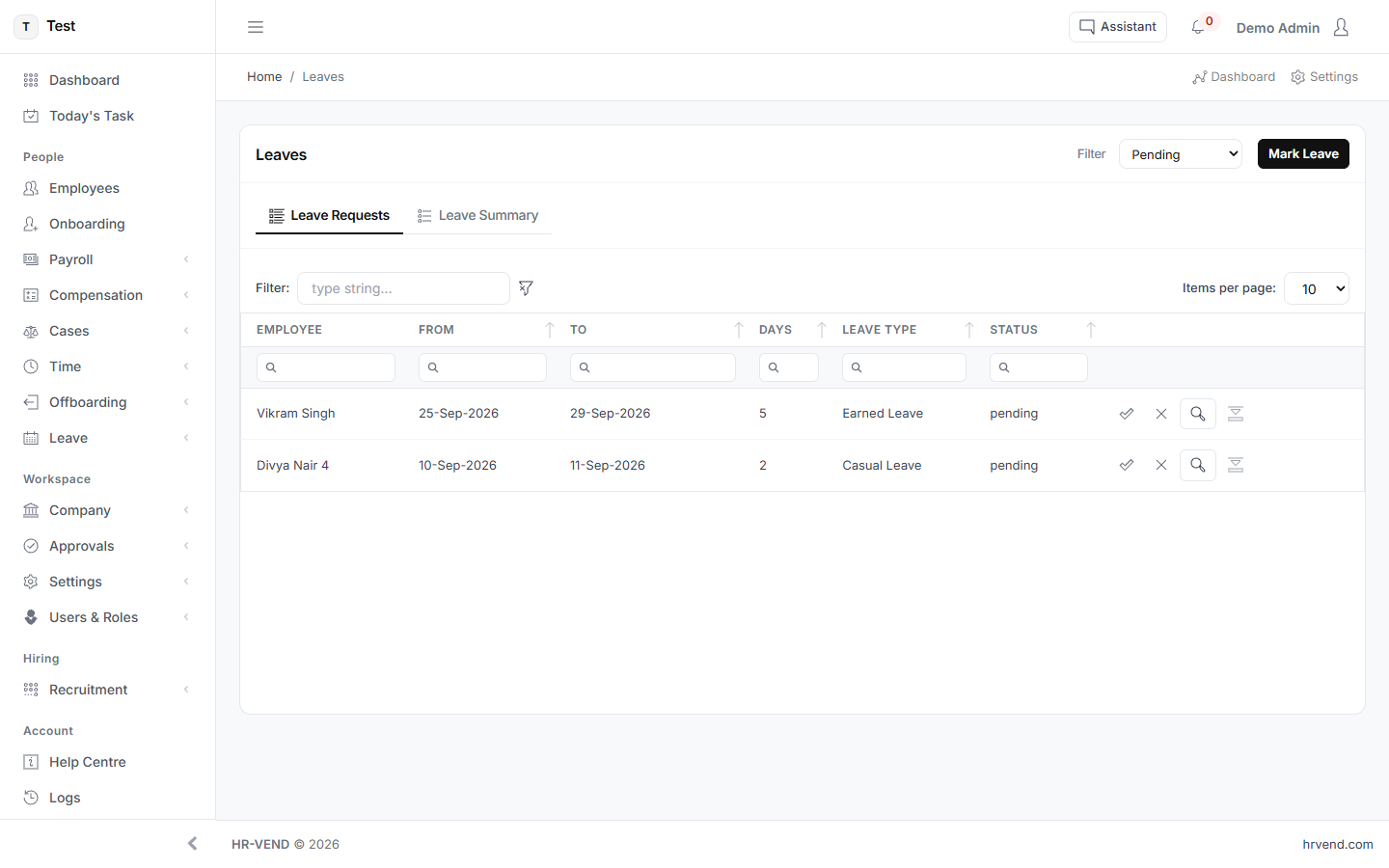
Requests, balances and the decision trail
A request carries who asked, who decided and when. Approving is what moves the balance, so the number on screen is the number payroll will use - there is no second place it is kept.
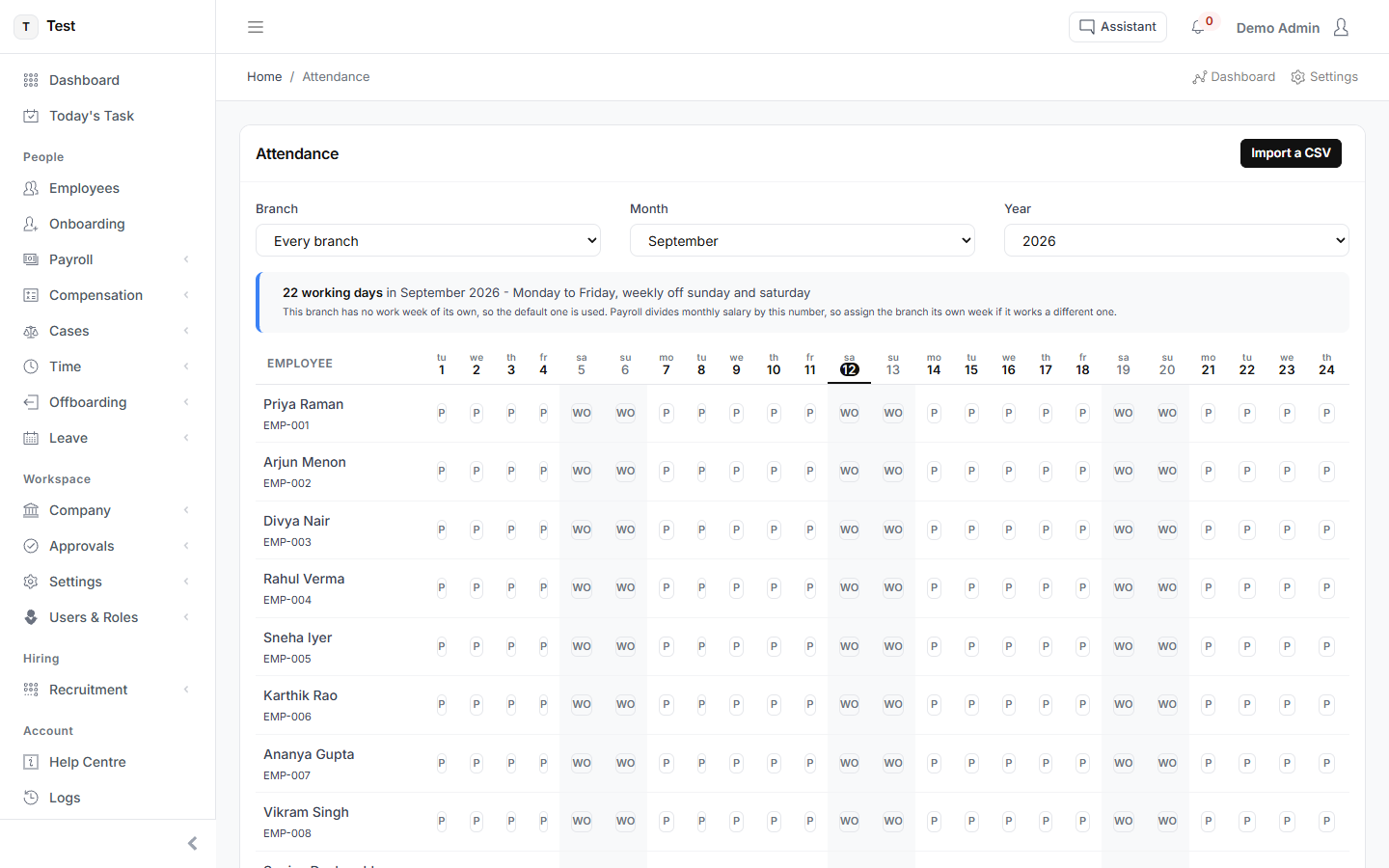
Attendance against the work week that applies
The month's working days come from the branch's work week. An office with a six-day week and one with a five-day week produce different loss-of-pay from the same absence, and the product knows which is which.
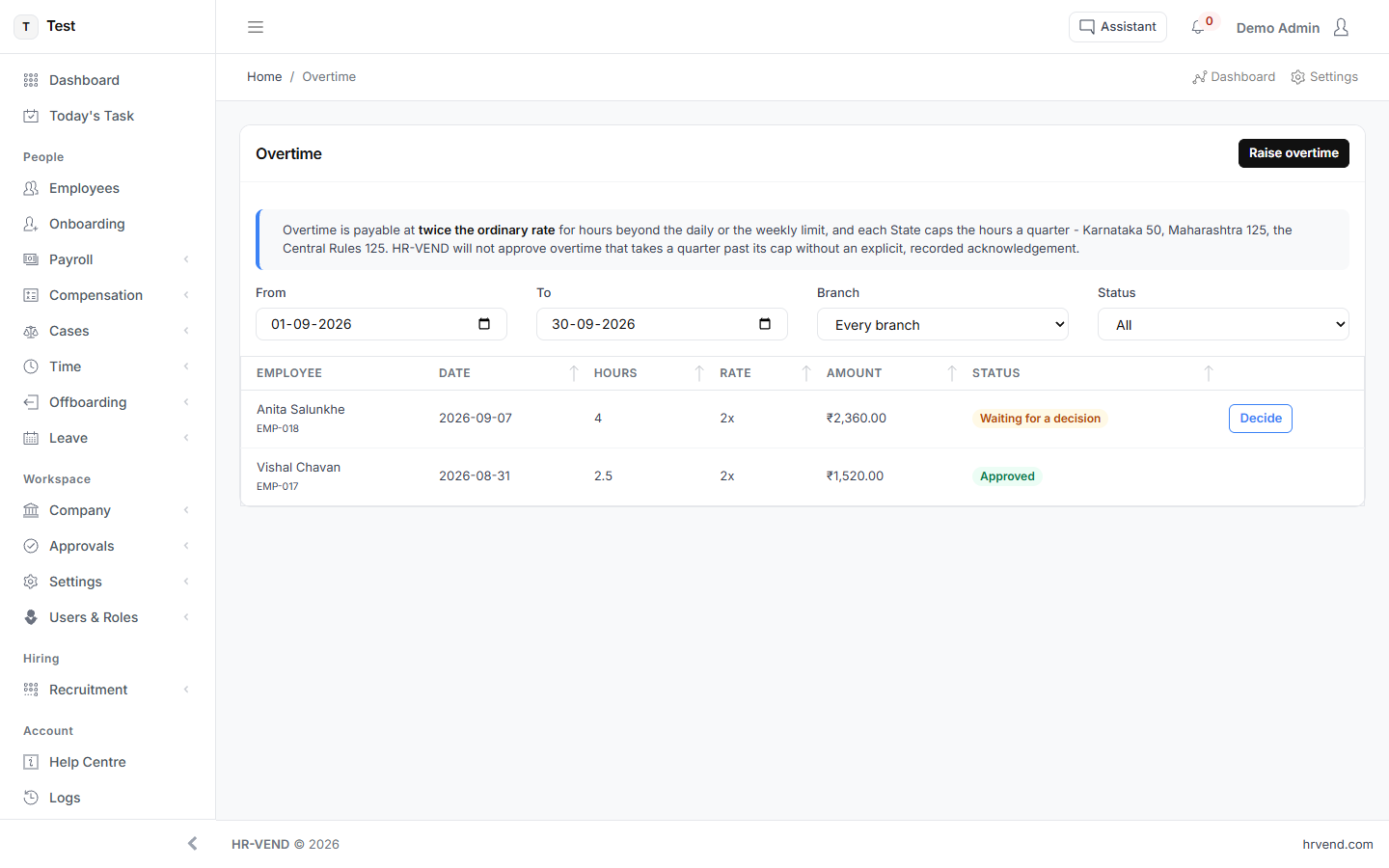
Overtime, and the ceiling it runs into
Overtime is payable at twice the ordinary rate for hours beyond the daily or weekly limit, and each State caps the hours a quarter may hold. The screen shows the cost and the cap together, because approving the cost without seeing the cap is how the cap gets breached.
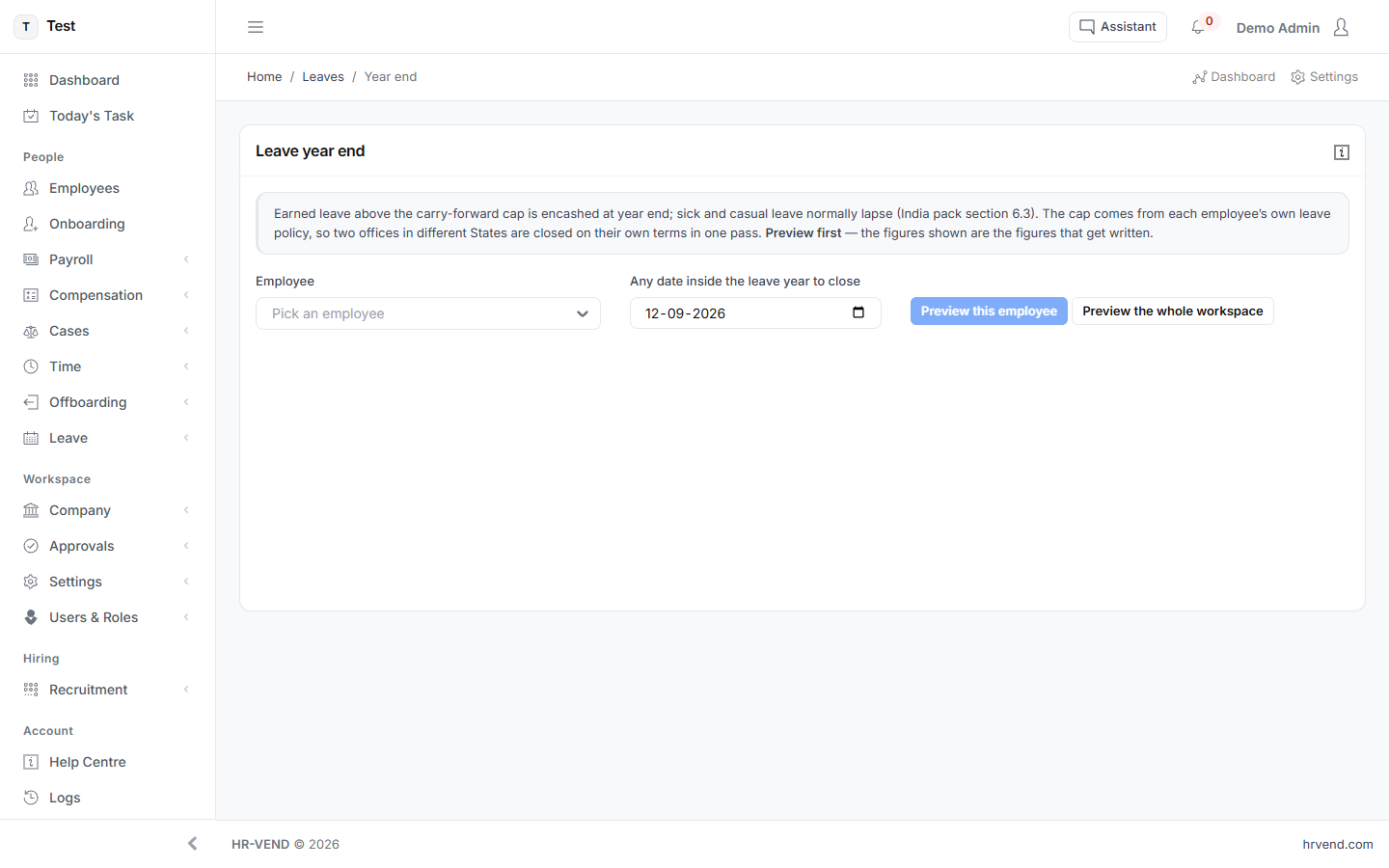
Closing a leave year without a spreadsheet
What lapses, what carries forward and what is encashed, worked out per policy for the whole company in one pass, with the result visible before it is committed.
See it with your own numbers
Every module is switched on during the trial. Set up takes about a minute, and cancelling is a matter of doing nothing.
Start free trialOr read how each screen works in the user guide.