
Attendance
Who was present, and on which shift. The month's working days come from the branch's work week, and this is what payroll reads when it computes loss of pay.
Find it under People › Time in the sidebar, at /attendance.
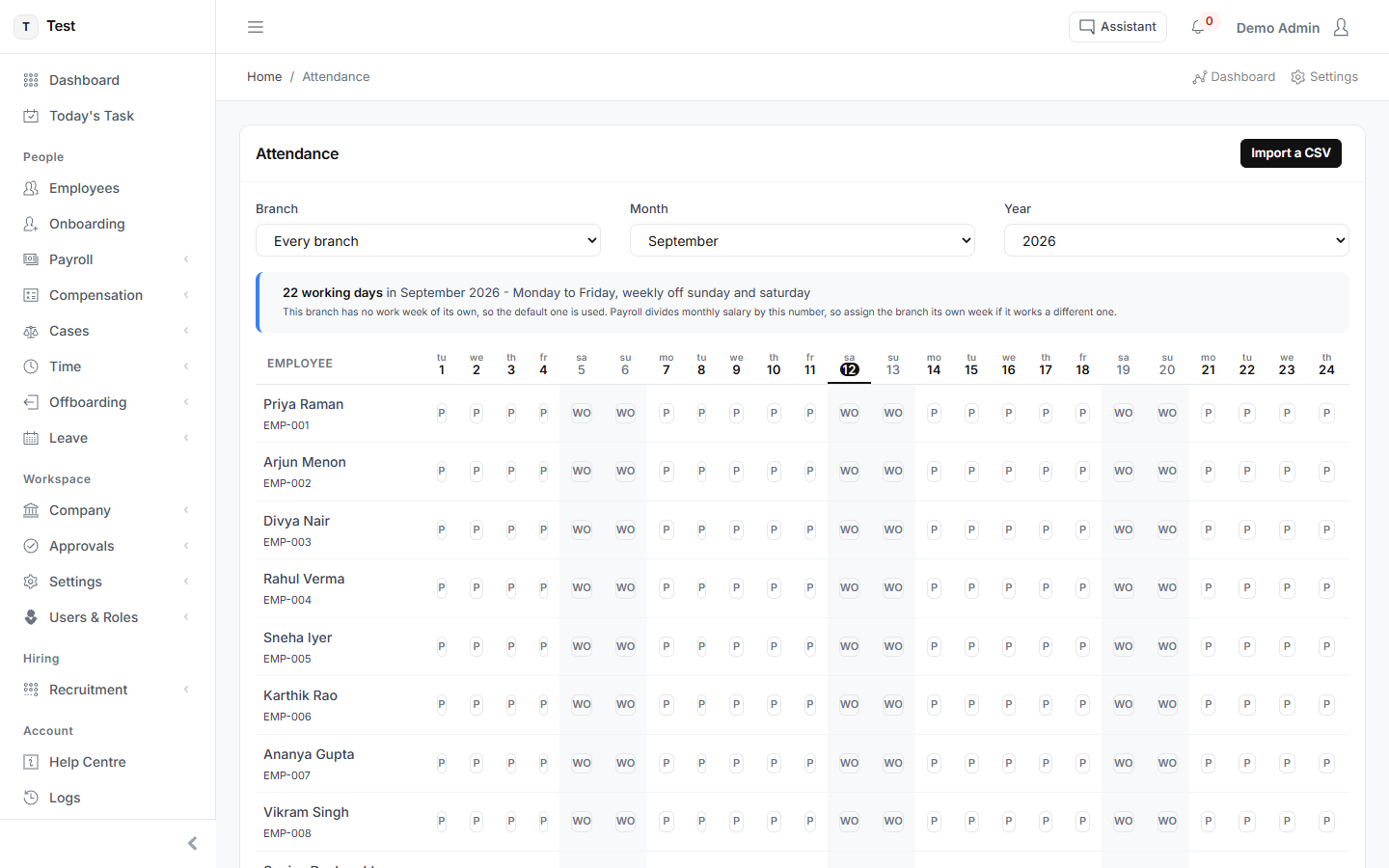
What the screen tells you
22 working days in September 2026 - Monday to Friday, weekly off sunday and saturdayThis branch has no work week of its own, so the default one is used. Payroll divides monthly salary by this number, so assign the branch its own week if it works a different one.
Columns: emp_no, work_date, status and, if you have them, hours_worked, in_time, out_time, note. Dates can be YYYY-MM-DD or DD/MM/YYYY. Status can be a word or a letter - P, A, HD, WO, HO, L, OD. A day that is already recorded is updated, not duplicated.
What you can do here
- Import a CSV
- P
- WO
- Cancel
- Save the day
- Close
- Dry run
- Import for real
What the list shows
- Employee
- tu1
- we2
- th3
- fr4
- sa5
- su6
- mo7
- tu8
- we9
- th10
- fr11
- sa12
- su13