
Workflows
Who approves what, in what order, and by when - one workflow per kind of decision. Two rules hold whatever you configure: nobody approves their own request, and a decision is always recorded against a named person.
Find it under Workspace › Approvals in the sidebar, at /workflows.
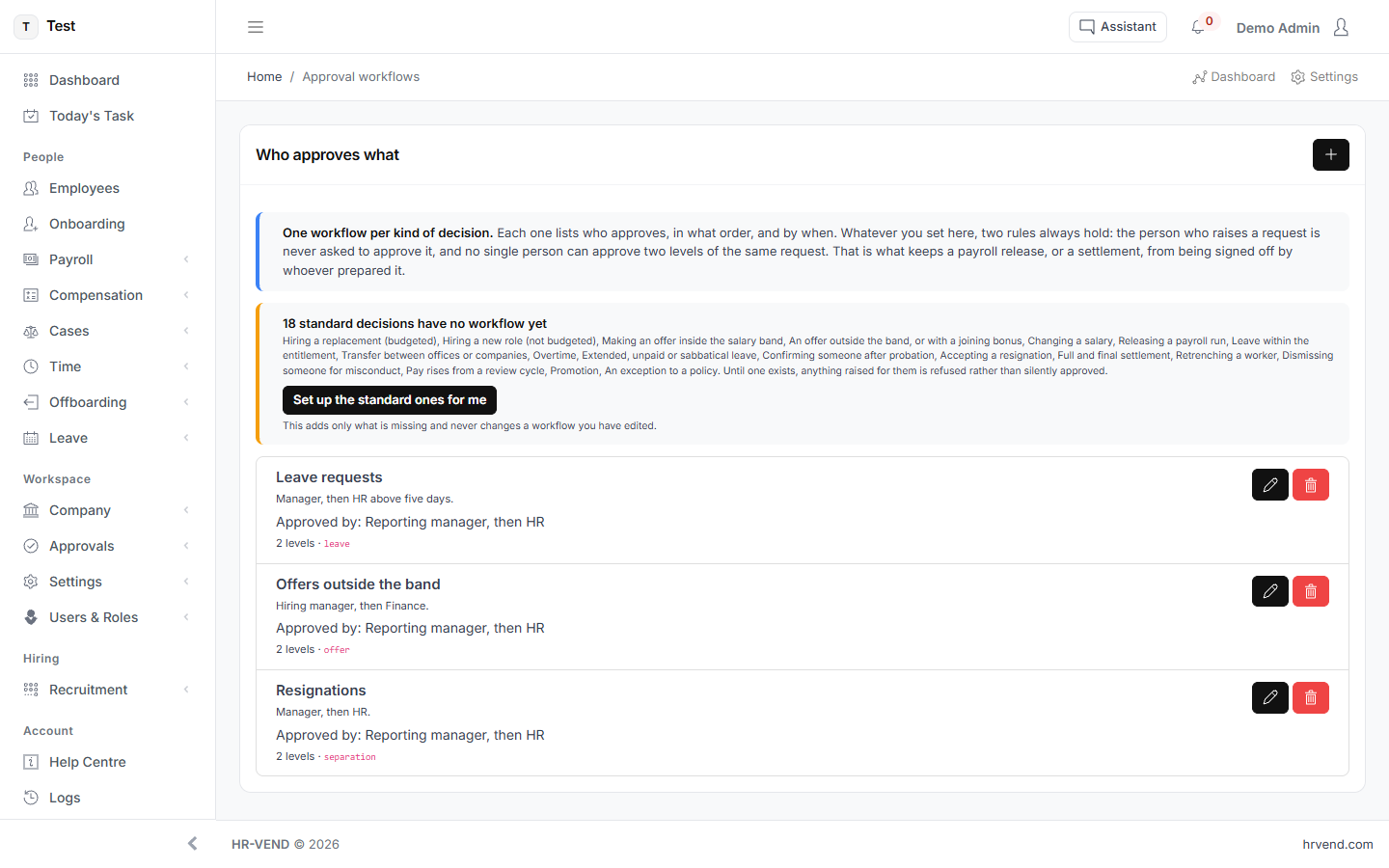
What the screen tells you
One workflow per kind of decision. Each one lists who approves, in what order, and by when. Whatever you set here, two rules always hold: the person who raises a request is never asked to approve it, and no single person can approve two levels of the same request. That is what keeps a payroll release, or a settlement, from being signed off by whoever prepared it.
What you can do here
- Set up the standard ones for me
- Add another level
- Cancel
- Save